Can I Design My Own Garden? A Complete Guide with Practical Steps
Can I design my own garden? Yes, you can create a garden layout without hiring pros.
Many tools and clear planning steps make it easy for you to start your own design. You just need to understand basic garden zones and plant needs before starting.
Start by checking how much sunlight your yard gets each day. Most plants need 6 to 8 hours of full sun. This helps them grow healthy and strong.
Place sun-loving plants in the brightest spots to help them thrive. Placing plants in the right spot lowers first-year death by 60%.
This saves you time and money. It helps plants survive and thrive better.
Sketch your garden layout roughly on paper or use free design apps online. These tools help arrange plants, paths, and furniture visually before planting. I recommend starting small and adjusting as you get more confident with your plan.
Key Takeaways
- Check how much sunlight different yard areas get to plan plant zones properly.
- Sketch your garden first using free apps like Planner 5D for easy changes.
- Choose plants based on sun needs to reduce early plant losses significantly.
- Paths should be at least 18 inches wide for easy walking access.
- Start with a manageable garden size to avoid feeling overwhelmed.
- Account for local rules if you plan structural changes like decking or terracing.
Can I Design My Own Garden Without Professional Help?

Yes, you can design your own garden without professional help. It involves understanding your space, choosing styles, and planning zones like patios or veggie beds. Beginners often use free garden design tools online.
They explore ideas and see layouts in 3D. This helps them avoid guesswork.
Designing a garden yourself is realistic if you’re ready to learn a few basics. Start by measuring your area accurately, noting sunlight patterns and soil type. Use a simple three-step process.
Upload your space into a free design app. Then pick a garden style and customize it. Tools like the Free Garden Design Generator show realistic renderings that make design decisions clearer.
You don’t need special skills, but you do need patience and attention to detail. Knowing how to divide your garden into zones is key. This creates separate areas for dining, planting, or relaxing, keeping the space organized.
Understanding basic plant needs, like how much sun or water they require, will save trouble later. Visualizing your plan in 2D or 3D gives instant feedback on what works and what doesn’t. So you can tweak it before you start digging.
The time and cost vary depending on your garden’s size and complexity. Sketching by hand takes less tech but more effort to visualize changes. Free online planners are easy to use.
They don’t require any payment. This makes them great for people on a budget.
You might spend a few hours or days planning. This upfront time helps prevent costly mistakes like planting sun-loving flowers in shady spots.
Good results come from balancing creativity with practical steps. Focus on thoughtful placement instead of fancy designs. This approach makes your garden inviting and manageable.
Problems often arise when people skip zone planning or ignore sunlight needs. Garden software tools spot issues early.
This gives you confidence the layout will work well. You avoid problems before planting or building.
Essential First Steps to Start Designing Your Garden
Start by understanding your garden space and what it needs. Knowing its size, sunlight, and existing features helps you plan well. Collecting clear data means fewer surprises later and better design decisions.
Measure Garden Dimensions and Boundaries
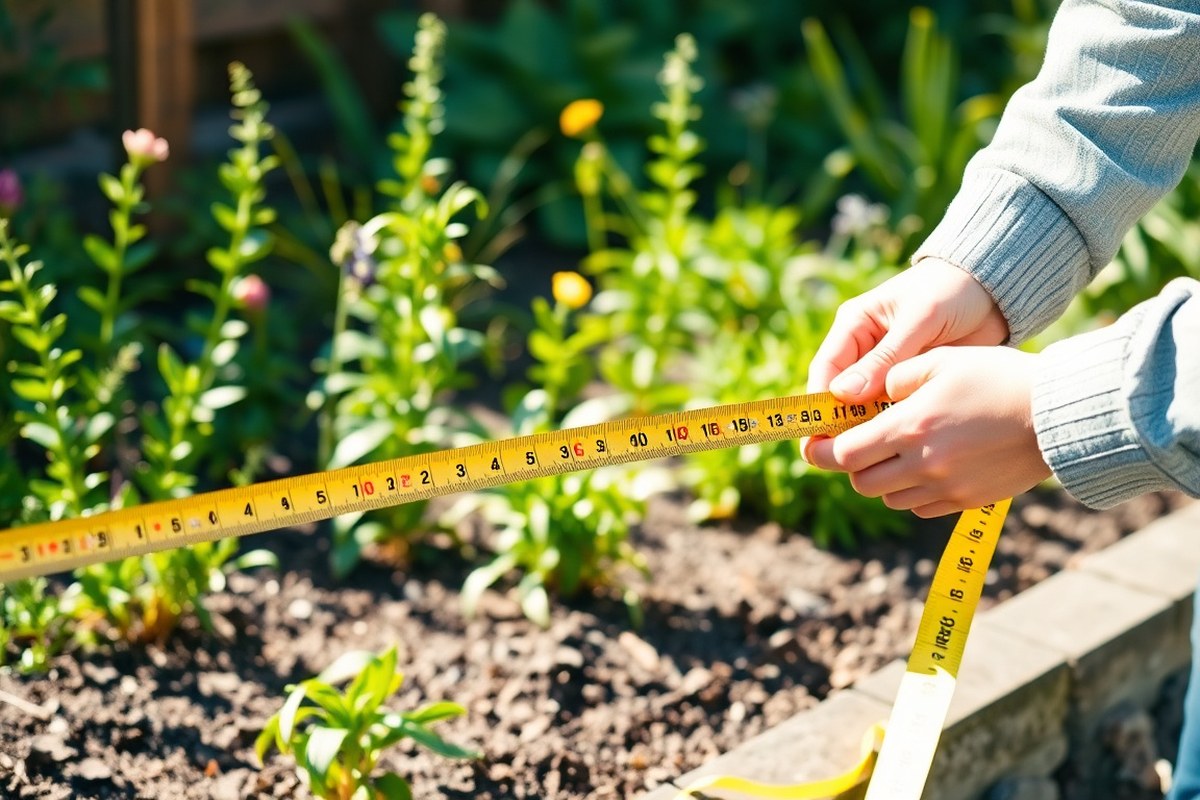
Measure the full length and width of your garden with a tape measure. Mark the boundaries clearly using stakes or garden string. Accurate measurements help you create a scaled drawing or input precise numbers into garden design tools.
Note any slopes or uneven areas. These can affect drainage and plant choices. Include fences, walls, or other fixed boundaries in your sketch.
Record Sunlight and Shade Patterns Throughout Day
Track sunlight in your garden to see how many hours each area gets direct sun. Most plants need at least 6 to 8 hours of sun daily. Use a simple journal or phone notes to track garden conditions.
Record your observations in the morning, midday, and afternoon. This helps understand how sunlight and weather change.
Shade matters for plant selection. For example, north-facing gardens usually stay shaded most of the day. These spots suit shade-loving plants better.
You can check shadows at different times with free apps. These apps show the sun’s position based on your latitude and date. This makes it easier to plan garden layouts.
Note Existing Plants, Structures, and Water Access
List all current plants and trees, noting which you want to keep or remove. Survey garden features like patios, sheds, or pathways. These will influence your layout and what space you have left.
Check if your garden has nearby water access for irrigation. A nearby tap or hose connection makes watering easier and cheaper.
Plan for rainwater collection or another option when no water source is nearby. This helps make sure your garden gets enough water.
- Draw your garden shape on a blank paper or use a digital planner
- Mark sunny and shady areas for better plant choices
- Identify fixed structures and boundaries to avoid later changes
- Include water points for irrigation planning
- Record garden slopes and soil conditions if possible
Start this process on a calm, sunny day to accurately track shadows and sun exposure.
How to Choose Plants and Plan Garden Zones Effectively
Choose plants that grow well in your garden’s environment. Plan clear zones in your garden. This makes your garden useful and inviting.
Start by matching plants to your soil and sun exposure. Then, divide your space into areas for relaxing, growing food, and moving around.
Match Plants to Sunlight and Soil Conditions
Begin by observing your garden throughout the day. Note where the sun hits and for how long. East-facing areas get morning sun and afternoon shade, which suits shade-loving plants like viburnums and anemones.
Test your soil texture or buy a simple soil test kit. Some plants need well-drained soil, while others tolerate clay or sandy soils. Raised beds with custom soil work well if your soil is bad.
They improve growing conditions. Raised beds help plants grow better in poor soil.
Check your USDA hardiness zone or local climate info online. Choose plants that grow well in your zone for fewer problems and less watering. Using tools with plant databases filtered by climate and soil will help narrow your options.
Designate Zones: Relaxation, Vegetables, Paths, and Beds
Divide your garden into clear zones based on how you want to use it. Put seating or relaxation areas where you get good light but also feel sheltered. Vegetable or herb beds belong in sunny spots with easy access for watering.
Map out walking paths that connect these zones smoothly. Paths keep foot traffic off your plants and make maintenance easier.
Sketch your garden on graph paper before planting. This helps balance space and avoid crowding.
- Put edible plants in sunny, convenient areas near the kitchen.
- Reserve shady corners for ferns or hostas.
- Plan flower beds in spots with the right rainfall and drainage.
- Arrange benches or seating facing pleasant views or focal points.
- Keep paths at least 2 to 3 feet wide for easy walking.
Mark spots for features like fences, trellises, or raised beds. Use free online garden design apps to plan your garden zones.
AI tools show realistic plants and paths. These tools help you visualize your garden easily.
Plan Companion Planting and Pest-Resistant Layouts
Group plants that help each other grow. For example, beans add nitrogen to the soil, helping leafy greens.
Some flowers repel pests naturally and protect nearby veggies. Avoid planting heavy feeders next to each other to reduce nutrient stress.
Rotate crops in vegetable zones yearly to cut pest and disease risks. Leave open spaces for airflow between plants to prevent fungal problems. Pay attention to local pests and diseases, and pick resistant varieties or natural controls.
Use mixed planting to break up large patches of the same plant. This reduces pest buildup and adds interest using different heights and textures. Planning these details takes time but keeps your garden healthier over the years.
Using Garden Design Tools: Free Apps, AI, and 3D Visualization
Many free tools help you design your garden easily, with no design skills needed. You can start with a blank grid. Templates are also easy to use.
Try vegetable gardens or pollinator strips for quick planning. Some tools let you create a free account fast. So your design saves automatically and you can edit later.
You’ll find apps that show your garden in 3D or seasonal views. These previews help you see how plants grow or colors change through the year. It’s a big help when picking plants that suit your garden’s sunlight and climate.
AI tools add new options to garden designing. Some planners use AI assistants like ChatGPT or Gemini. These help suggest plant choices.
They can also create garden layouts. These features often come for free. They guide you on what fits best for your space and style.
| Tool / Feature | Cost | Sign-Up Needed | Key Features | Devices |
|---|---|---|---|---|
| Garden Design Generator | Free | Optional (for saving designs) | Templates, easy grid layout, saves designs automatically | Browser |
| Garden Planner + AI Tools | Free | Yes (recommended for full features) | Works with ChatGPT, Gemini, Claude for plant and layout advice | Browser, iPhone, Android |
| 3D Visualization Tools | Usually free with basic plans | Sometimes required | Walkthroughs, seasonal previews, realistic textures (lawns, paths) | Browser, Mobile apps |
Starting early in the year helps your design fit the planting season. Some apps give texture tools to add lawns, water features, or terraces visually. These quick previews stop you from placing paths or beds where they don’t belong.
Free apps often use grid-based layouts measured in square feet. You drag and drop icons for plants and garden features.
Be careful not to crowd your space. Good apps warn you about scale issues or plant compatibility.
Practical Layout and Design Tips to Avoid Common Mistakes
Many beginners make simple mistakes that affect garden comfort and health. Overcrowding plants and bad pathways often cause frustration later. You can avoid this by planning carefully and thinking about future growth and daily use.
Avoid Overcrowding and Poor Plant Grouping
Planting too close damages growth and opens room for pests. Give each plant enough space based on its mature size. Check seed packets or gardening websites for spacing advice.
Group plants with similar sunlight and water needs together. This limits plant stress and lowers maintenance effort. The University of Nebraska-Lincoln Extension says proper plant spots help.
- Measure mature plant size, not seedling size
- Arrange plants by sunlight requirements
- Leave room to prune and harvest easily
- Space taller plants behind shorter ones
- Use native or local plants to reduce water needs
Don’t crowd plants just to fill space; less is often healthier.
Plan Paths Wide Enough for Comfortable Use
Narrow paths make it hard to carry tools or move with garden furniture. For easy access, plan at least 3 feet wide paths in main areas. Smaller paths can be 2 feet wide but still allow easy walking.
Test your planned path widths by walking the space carrying a watering can or wheelbarrow. Paths should avoid sharp turns and should connect main working zones well. Gravel or stepping stones are common, but check they stay level to prevent tripping.
Consider Maintenance and Plant Growth over Time
Plant growth changes your garden’s look and ease over a few years. Avoid tiny paths or tight spaces around plants that will grow wide. Allow room for routine tasks like weeding, pruning, and pest control.
Think about how much time you can spend maintaining your garden. Larger lawns or dense flower beds need more effort and tools. Planning smaller zones that mature differently helps spread out your work through the growing season.
Estimating Time, Budget, and Material Requirements for Your Garden
Designing your own garden usually takes 10 to 20 hours. You spread the work over several days or weeks. Many people work little by little to finish it.
This includes sketching the plan, choosing plants, and measuring your space. Complex designs or larger gardens could take longer. So expect to spend extra time if your ideas grow.
Budgeting your DIY garden depends on what you want to include and your garden’s size. Most homeowners spend between $500 and $2,000 on materials for a medium-size garden. Costs rise if you add features like raised beds, irrigation, or specialty plants.
Estimate quantities by measuring your garden’s length and width to calculate area in square feet. Then, decide the coverage rate for each material, such as mulch, soil, or gravel. Multiplying area by coverage gives you a rough amount to buy.
| Material | Typical Coverage | Price Range (per unit) | Units Needed Example (200 sq ft garden) |
|---|---|---|---|
| Topsoil | 1 cubic yard covers 100 sq ft at 3-inch depth | $20, $50 per yard | 2 yards |
| Mulch | 1 cubic yard covers 100 sq ft at 2-inch depth | $30, $60 per yard | 2 yards |
| Gravel | 1 cubic yard covers 100 sq ft at 2-inch depth | $40, $70 per yard | 2 yards |
| Plants | Varies widely by species | $5, $30 each | 20 to 40 plants |
| Landscape fabric | 1 roll covers 100 sq ft | $20, $40 per roll | 2 rolls |
Multiply the units needed by their price ranges to form your budget. Add about 10% for waste or extra needs. Tracking these details stops surprises and helps you plan your shopping trips.
Time estimates for building depend on your garden’s complexity and help from others. Preparing beds and planting alone can take a few full weekends. Try designing with a garden planner app to speed up decisions and visualize your results.
When to Hire a Professional vs Designing Your Garden Yourself
When your garden plans include major construction, hiring a professional is a smart move. Projects like building patios, retaining walls, or water features often need permits and expert knowledge. These projects usually cost between $1,000 and $5,000.
The price depends on size and materials. Mistakes can cause expensive repairs.
Experts spot site issues you might miss, such as poor drainage or unsafe slopes. Your garden spot has uneven terrain or flooding risks. A landscaper or civil engineer can design solutions.
They use tools and experience for safety and function. This helps prevent plant loss. It also stops erosion later.
Complex plant layouts requiring precise timing and soil conditions also benefit from professional help. You want a garden that blooms year-round with themes. Experts can choose the right plants and spots.
They know local climates and soil types. They also understand pest risks. This helps your garden thrive.
Landscape design advice costs $50 to $150 per hour. A full plan may cost $500 to $2,500. Save money by doing the simple layout yourself.
Hire a pro only to check and tweak work. This hybrid approach keeps your vision but reduces the risk of costly mistakes.
Check local rules before installing permanent garden structures. You may need a permit. Adding fences or decks often requires approval from your city or homeowners’ association.
Ignoring permits can lead to fines or having to remove finished work. So learn what permissions apply where you live.
Simple garden changes like planting flowers, adding mulch, or rearranging shrubs usually don’t require help. These actions are perfect for beginners, letting you learn design basics and experiment. Start small and build confidence before taking on changes that affect drainage, views, or property boundaries.
Use this simple rule: If digging or structural changes are involved, call a pro. For less risky updates, you can design your garden yourself with tools and some research. Professional input is worth it when it ensures safety and long-term beauty in your outdoor space.
Saving, Sharing, and Implementing Your Garden Design Plans
Save your garden design work by downloading it as a clean PDF or image file. Most design apps let you keep your project on local storage as you work. This way, you won’t lose any updates and can return to your plan later.
You can share your saved designs by sending the PDF. You can also send an image to contractors or friends. This way, they get your garden plan easily.
Contractors prefer clear layouts to understand your vision and provide accurate quotes. Upload a photo of your real garden into the design tool.
This makes the design match your space better. It helps you see how plants fit where they grow.
Before handing over the plans, print them out or export them in a standard format. Include measurements and key details so contractors know exactly where everything fits. This helps avoid mistakes like plants placed where sun or water is insufficient.
- Save your garden plan file regularly on your device or cloud storage
- Export your final layout as a PDF or high-resolution image
- Use real garden photos for accurate scale and framing
- Print your plan with clear labels and measurements
- Send the same brief to all contractors for consistent quotes
- Include a list of materials and plant species
- Keep your design and budget in one document for easy reference
Start turning a plan into a real garden by gathering materials. Get all the tools you need from your design list. This makes building your garden easier and smoother.
Clear the site, prepare soil, and follow your layout step-by-step. Check plant spacing and sunlight needs carefully before planting to ensure healthy growth.
Communicate regularly with your contractor to confirm details and timelines. Keep your budget and timeline realistic to avoid delays. A polished, final design image helps everyone see the goal clearly before work begins.
Double-check measurements on your plan against your yard to prevent costly surprises later.
Step-by-Step Action Plan to Start Your Garden Design
Follow these steps to turn your garden ideas into a clear plan. Each phase helps you feel ready for the next.
- Day 1: Measure your garden space and note sunlight patterns. Check if your measurements match your sketch and the sun hits where you expect.
- Week 1: Choose garden zones based on use and plant needs. You’ll know it’s right when each area serves a clear purpose, like seating or vegetables.
- Week 2: Pick plants that suit your climate and soil. You’re set when your plant list includes bloom times and water needs.
- Week 3: Use a free garden design app or simple sketch to arrange plants and features. The design feels ready when you see all zones balanced on screen or paper.
- Week 4: Estimate materials and set a budget. You’ll know the plan works once your costs fit your spending limit.
- Week 5: Share your plan with a gardening friend or online group. Consider their feedback to improve your layout.
- Week 6: Prepare your garden beds and gather supplies. You’re ready when the soil is loose and tools are on hand.
- Week 7: Start planting your garden in phases. Track plant growth and make small changes next season if needed.
Frequently Asked Questions
Can I Design My Own Garden to Suit My Lifestyle?
Yes, you can design your garden to fit your lifestyle. Think about how you want to use the space every day.
Do you want to relax, garden, or entertain? Choose features and plants that match those uses.
What Is the Easiest Way to Keep Track of Garden Ideas While Designing?
Using a digital garden planner or notebook works well. It helps you gather ideas and sketch layout plans.
You can compare plants and designs easily. This makes your planning clearer and more organized.
Should I Consider My Garden’s Climate When Choosing Plants?
Absolutely, climate matters a lot for plant health and growth. Choose plants suited to your local weather to reduce maintenance and improve success.
How Can I Make My Garden Design Eco-Friendly?
Focus on native plants, water-saving techniques like drip irrigation, and composting. These steps save resources and support local wildlife.
Can I Design a Garden That Requires Little Maintenance?
Yes, pick drought-tolerant plants, mulch well, and plan efficient watering. This saves you time and effort while keeping your garden nice.
Do I Need to Worry About Soil Quality Before Designing My Garden?
Yes, soil quality affects plant health and growth. Test your soil to see if it needs fertilizer or amendments before planting.
Key Points to Remember
Designing your garden yourself is doable with some planning and effort. Begin by measuring your space and choosing plants that really fit. Take one step today by sketching a rough layout of your garden zones.